Orchesty Platform
Streaming integration, fully managed.
Build and run your integrations on Orchesty's managed cloud infrastructure. We operate the queues, persistence, and orchestration. You ship integration logic. Start free, scale as you grow.
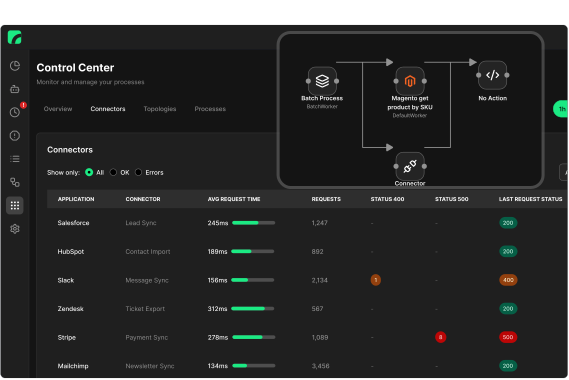
Build any integration you need
Orchesty gives you the freedom to build your own integration solution:
Create custom components with the SDK.
Leverage community and open-source connectors.
Bring everything together – build your own integration service.
The core of the platform ensures reliability and orchestration performance. You build exactly what you need and without limitations.
Why Orchesty Platform is different from typical iPaaS
No vendor lock-in
Your integration logic and code always remain under your control. The cloud provides orchestration and message transfer. You can switch to a fully self-hosted variant at any time.
Fast start, smooth scaling
Start quickly in the cloud and scale as needed. If your strategy or compliance requires on-premise, you can seamlessly move to a self-hosted variant—without vendor lock-in.
Enterprise-grade orchestration
Get SLA, monitoring, auditing, and access control. The platform orchestrator manages process execution and ensures reliable message delivery, while your team retains full control over integration logic.
Unlimited flexibility
Unlike closed iPaaS platforms, functionality is not limited by the service or its sandbox. With the SDK, you can build your own connectors and components that run in your infrastructure. Extend integrations to any system or business logic you need.
Platform capabilities
Governance & security
Role-based access control (RBAC) and SSO support. The platform runs in high-availability mode and ensures secure usage even across large teams.
Observability
Monitoring, logging, and process records out of the box. Higher PRO tiers add advanced auditing and tracing for end-to-end entity history.
Scalability & performance
The orchestration layer automatically scales with workload. With mechanisms like retry and throttling, it ensures reliable execution even under heavy data volumes.
Integrations & connectors
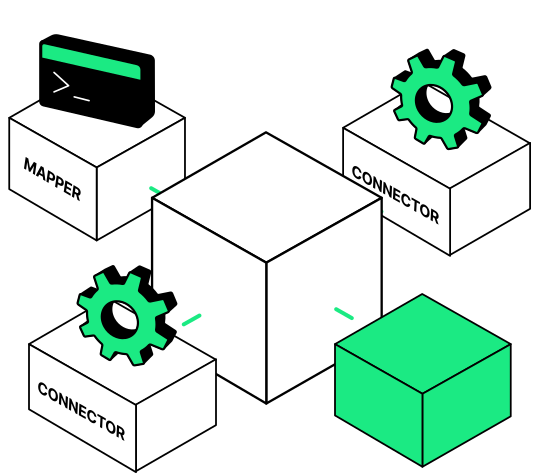
In Orchesty, integrations are built from components – connectors, filters, mappers, and other elements. These components run inside workers, which you create as standalone microservices using the SDK.
Custom components
With the SDK, you can build workers with connectors or logic tailored to your needs.
Learn more about the SDKOpen-source components
Add ready-made open-source connectors and community contributions from the Components catalogue into your workers — or publish your own.
Browse ComponentsOnce workers are registered in the user interface, all components become available in the integration editor.
Get started with Orchesty Platform
Choose where to go next: